

Choose the Material Look
Explore raised embroidery, a flatter woven-style label, layered PVC or soft chenille. Naming the material gives your design a clearer direction than asking for a generic badge.
Prompt Guide
Model
Reference Image
Give your club, clothing drop or outdoor collection a distinctive emblem. The AI patch generator pairs visual presets with editable prompts so you can explore thread texture, raised rubber, bold borders and mascot shapes before choosing a direction. Create a concept worth refining, then share it with your designer or patch maker.
Build your design around one strong icon and a clear material choice.
Pick a preset or describe your own badge: round, shield, rectangular or die-cut. Name the intended look—embroidered thread, fine woven fabric, molded PVC or fluffy chenille—and the garment or accessory it belongs on.
Add the central symbol, a small color palette and the border treatment. Try: round mountain patch, three earthy colors, thick cream stitched border, simple peaks, front view. Add short wording only when it is essential.
Choose a model and generate your concept. Check the outline, lettering and small details, then revise the prompt or save your preferred image. Ask your patch maker to confirm final size, colors, backing and production artwork.
Explore mascots, outdoor emblems, streetwear badges and material studies. These images show creative directions; the prompts are starting points for similar designs, not exact reproduction recipes.
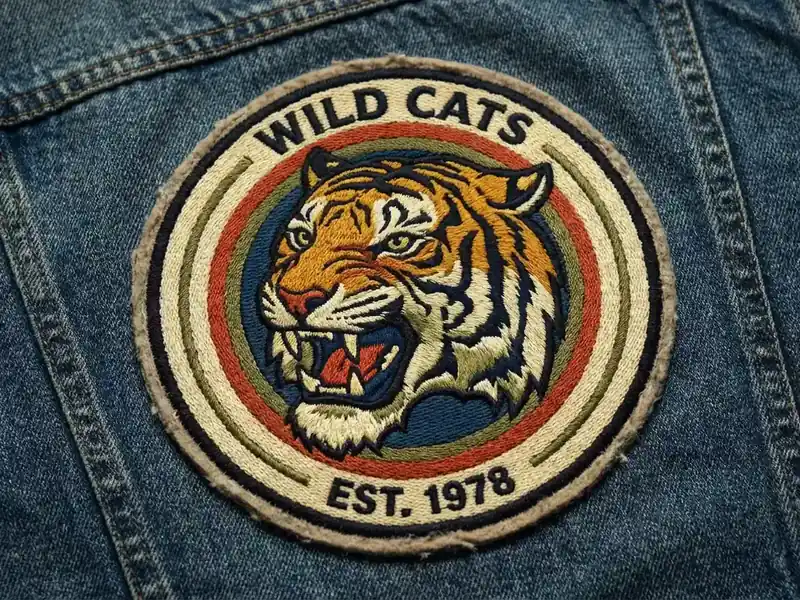
Mascots & CharactersA round embroidered tiger-head patch on blue denim, orange and cream thread, bold black outlines, a thick cream border and a vintage club-badge composition. Keep the tiger readable at a small size; leave a simple rim for optional lettering.
Design a Similar Patch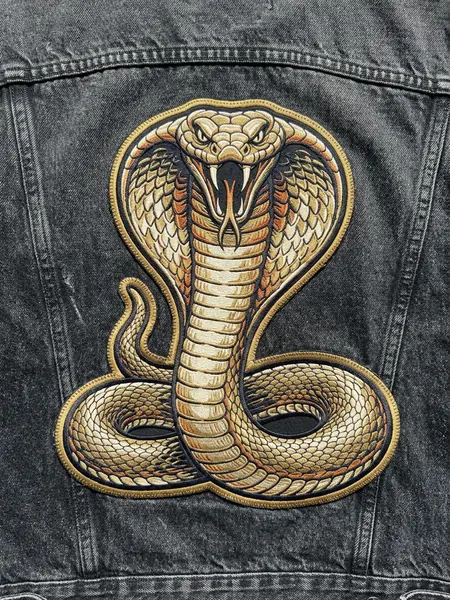 Streetwear & Club Patches
A large coiled cobra embroidered patch on charcoal denim, expanded hood, antique-gold and cream thread, ivory fangs, bold die-cut edging and clear jacket seams. Use a strong compact silhouette, realistic raised stitching and bright natural light in a vertical 3:4 close-up.
Design a Similar Patch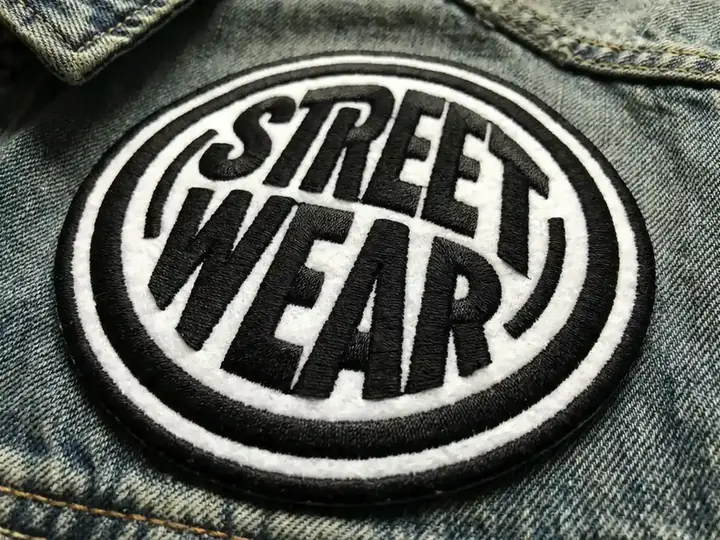 Streetwear & Club Patches
An oval black-and-white embroidered streetwear patch on denim, oversized stacked lettering, thick cream edge and a tightly balanced badge layout. Keep the wording short and proofread the generated letters before use.
Design a Similar Patch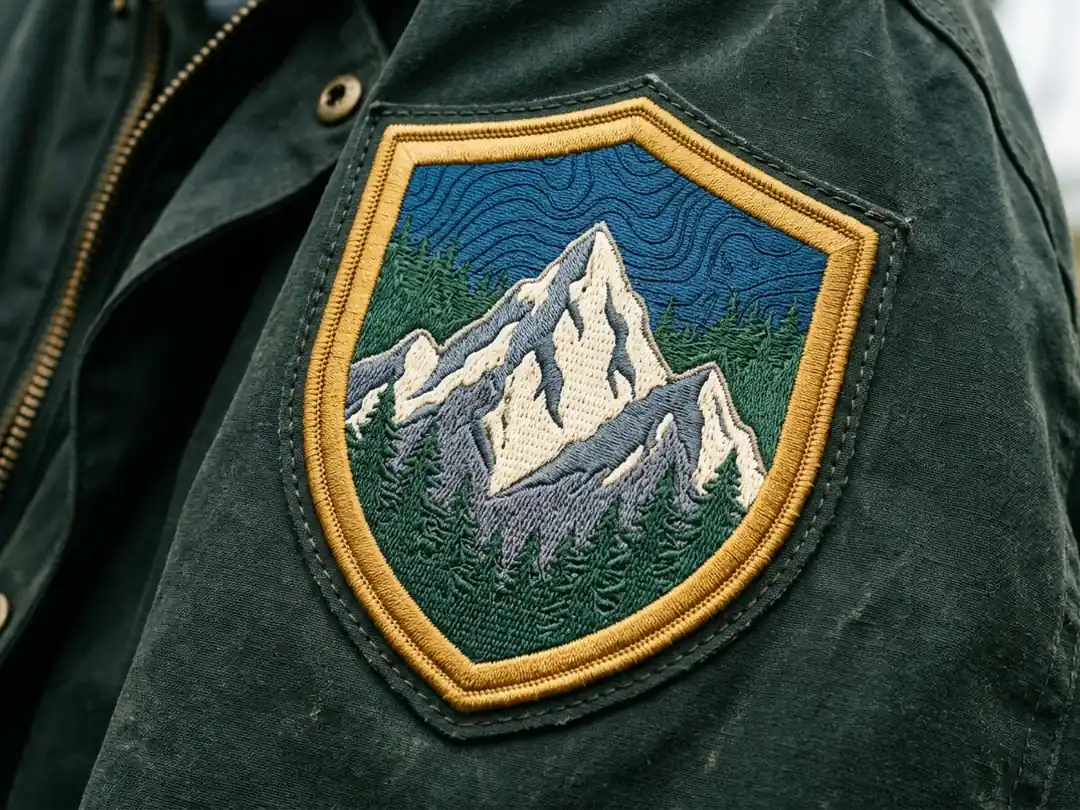 Outdoor & Adventure
A large shield-shaped alpine expedition patch on a forest-green canvas jacket. Show a jagged snowy summit, layered pine trees, slate rock faces and a thick antique-gold stitched border. Use dense cream and green embroidery, natural daylight and a landscape 4:3 view with the full badge visible.
Design a Similar Patch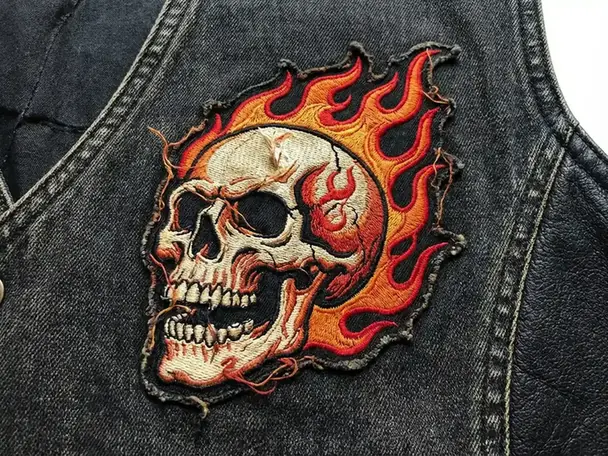 Streetwear & Club Patches
A die-cut embroidered skull-and-flame patch on black denim, cream skull, red and orange flames, thick dark outline and raised thread texture. Keep the whole contour visible with a clean border.
Design a Similar Patch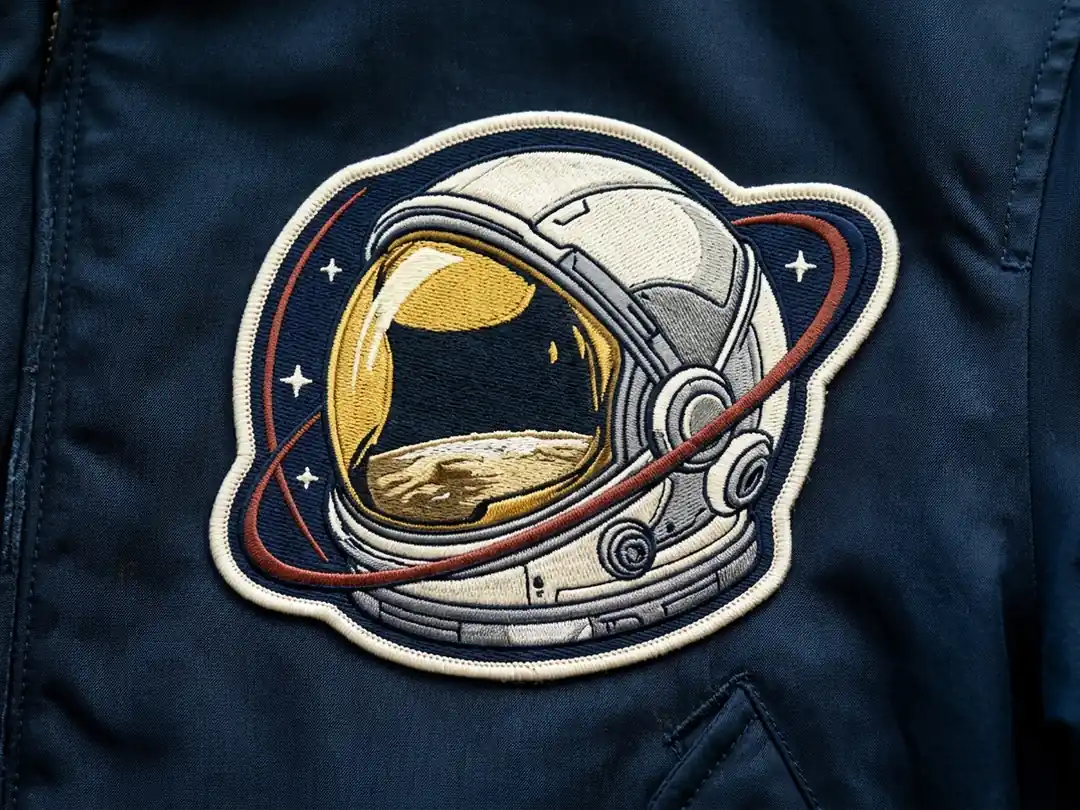 Mascots & Characters
A mature space-mission patch on a midnight-blue flight jacket. Show a realistic astronaut helmet with a gold visor, ivory shell, lunar reflection and a compact orbital arc. Use layered satin stitching, a bold ivory edge and a complete landscape 4:3 close-up.
Design a Similar Patch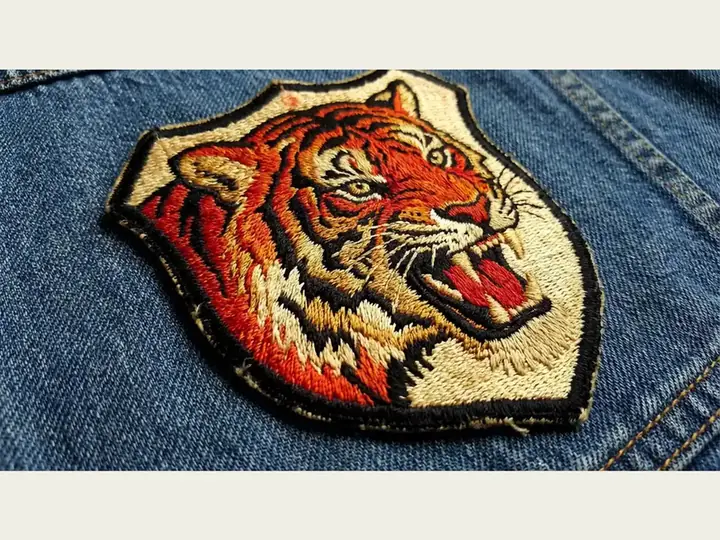 Mascots & Characters
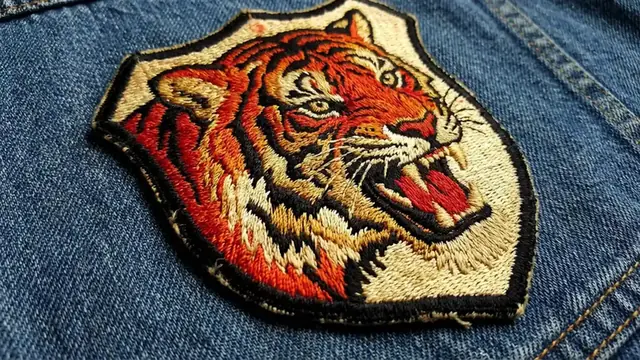
A die-cut tiger-head embroidered patch on blue denim, orange fur, cream muzzle, strong black stripes and dense visible thread. Follow the animal silhouette with a continuous stitched edge, photographed in natural daylight.
Design a Similar Patch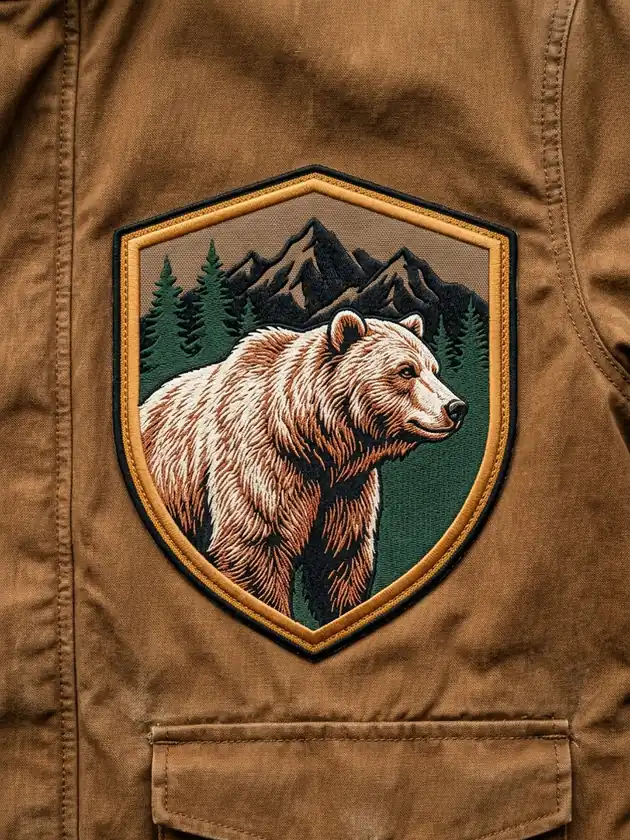 Outdoor & Adventure
A substantial grizzly-bear outdoor emblem on tobacco-brown canvas. Combine a powerful side-profile bear, copper and cream fur, dark pine silhouettes and a broad ochre shield border. Use fine textile detail, daylight and a vertical 3:4 close-up with the complete patch visible.
Design a Similar Patch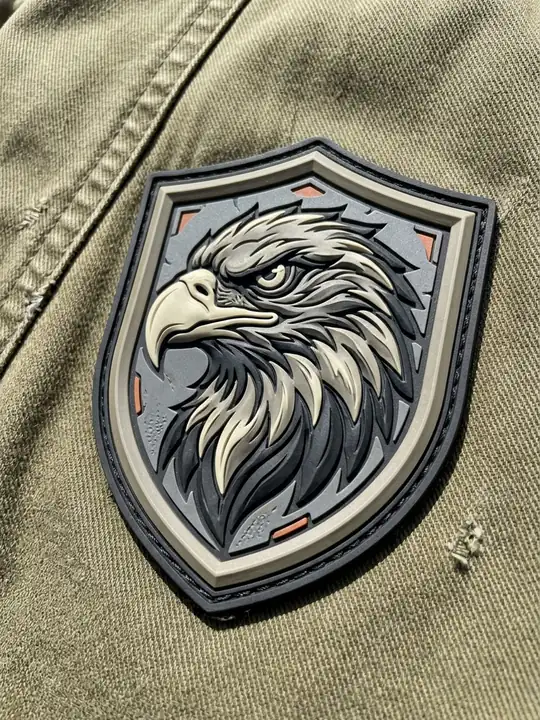 Material Studies
A large shield-shaped PVC eagle-head patch on an olive canvas field jacket. Sculpted charcoal, gunmetal and antique ivory rubber layers, a hooked beak, a bold stepped border and small burnt-orange accents. Show the complete emblem in a vertical 3:4 close-up with clear natural daylight and visible garment texture.
Design a Similar Patch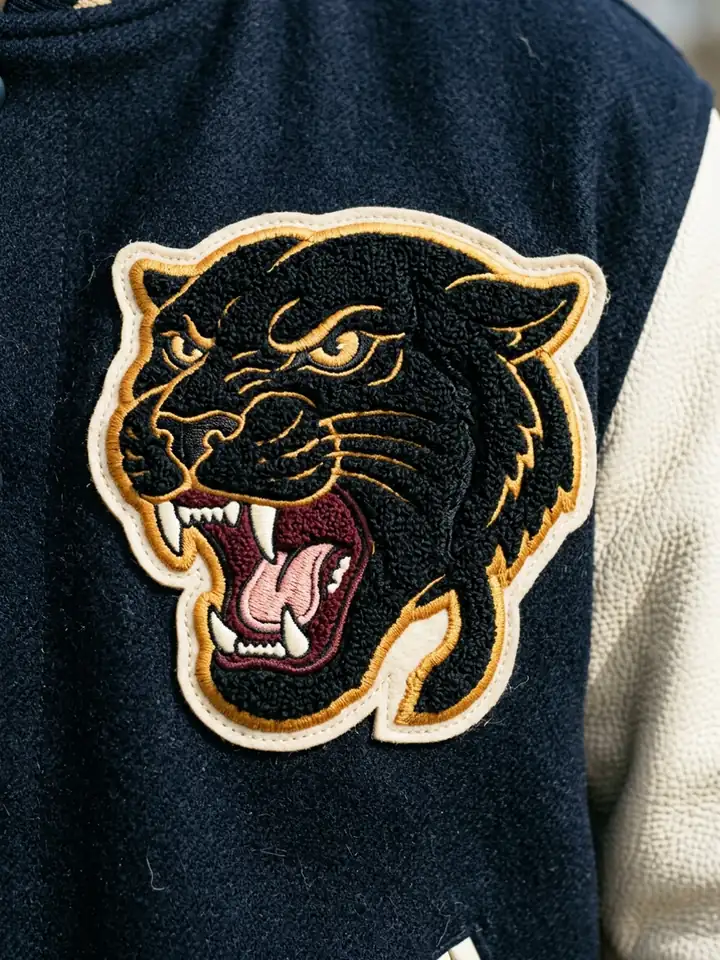 Material Studies
A large roaring black panther chenille patch on a navy wool varsity jacket. Dense black looped yarn, gold satin-stitched outlines, cream felt backing, ivory fangs and a burgundy mouth. Show the full die-cut silhouette in a vertical 3:4 close-up with crisp textile detail and natural daylight.
Design a Similar PatchExplore raised embroidery, a flatter woven-style label, layered PVC or soft chenille. Naming the material gives your design a clearer direction than asking for a generic badge.
Guide the AI patch generator with one central mascot or symbol, a limited palette and a distinct border. Strong silhouettes are easier to judge when you shrink the concept to patch size.
Reuse your shape, colors and border across a club emblem, jacket badge and backpack label. Change one detail at a time to compare options and prepare a focused brief for your maker.
An AI patch generator turns a written description into a patch concept image. Describe the icon, shape, colors, border and material to explore embroidered badges, woven-style labels, PVC mockups or chenille designs. Use the result to compare ideas for apparel and accessories before preparing production artwork.
The available image models support reference-image inputs. Open the image workspace and check the selected model's upload controls to use your logo or sketch. Ask for a simplified silhouette, a clear border and the desired material. Review lettering and proportions, because a generated image may change your original artwork.
This workflow creates concept images, not machine-ready DST or PES embroidery files. A digitizer or patch manufacturer still needs to set stitch types, density, thread colors and dimensions. Ask for a production proof; fine gradients, tiny lettering and thin lines may need simplifying before stitching.
Use one main symbol, a limited color palette and a strong outline. Name the shape and material, then request a full front view with space around the edge. Keep text brief and proofread every letter. Compare the image at the intended physical size and simplify details that become hard to read.
Eligible accounts can use available model trials. Sign in to see your current trial allowance, credits and plan limits before generating. Availability can vary by account and model. You can browse the example ideas and adapt their prompts first, then choose the model shown in the workspace.