




AI Gay Video Generator for LGBTQ+ Stories
Make polished gay AI videos for romance shorts, Pride visuals, character scenes, and social storytelling without complex editing.





Create Gay AI Videos That Feel Cinematic, Modern, and Respectful
The AI Gay Video Generator helps creators, filmmakers, marketers, and digital artists turn LGBTQ+ story ideas into cinematic video prompts. Build a romantic city walk, a Pride celebration, a fashion editorial, or a character-driven short while keeping the tone tasteful, inclusive, and visually polished. GlobalGPT brings leading video models into one workflow so you can move from idea to preview faster.
Why Creators Use GlobalGPT as an AI Gay Video Generator
Search-Friendly LGBTQ+ Video Prompts – Start with plain English prompts for gay romance, Pride content, lifestyle scenes, editorial looks, or inclusive brand storytelling.
Cinematic Model Access in One Place – Use GlobalGPT to test leading video models for realistic movement, expressive lighting, natural gestures, and social-ready gay AI video concepts.
Respectful Creative Control – Guide clothing, setting, mood, camera style, and story tone so each AI Gay Video Generator result stays safe, non-explicit, and production-friendly.
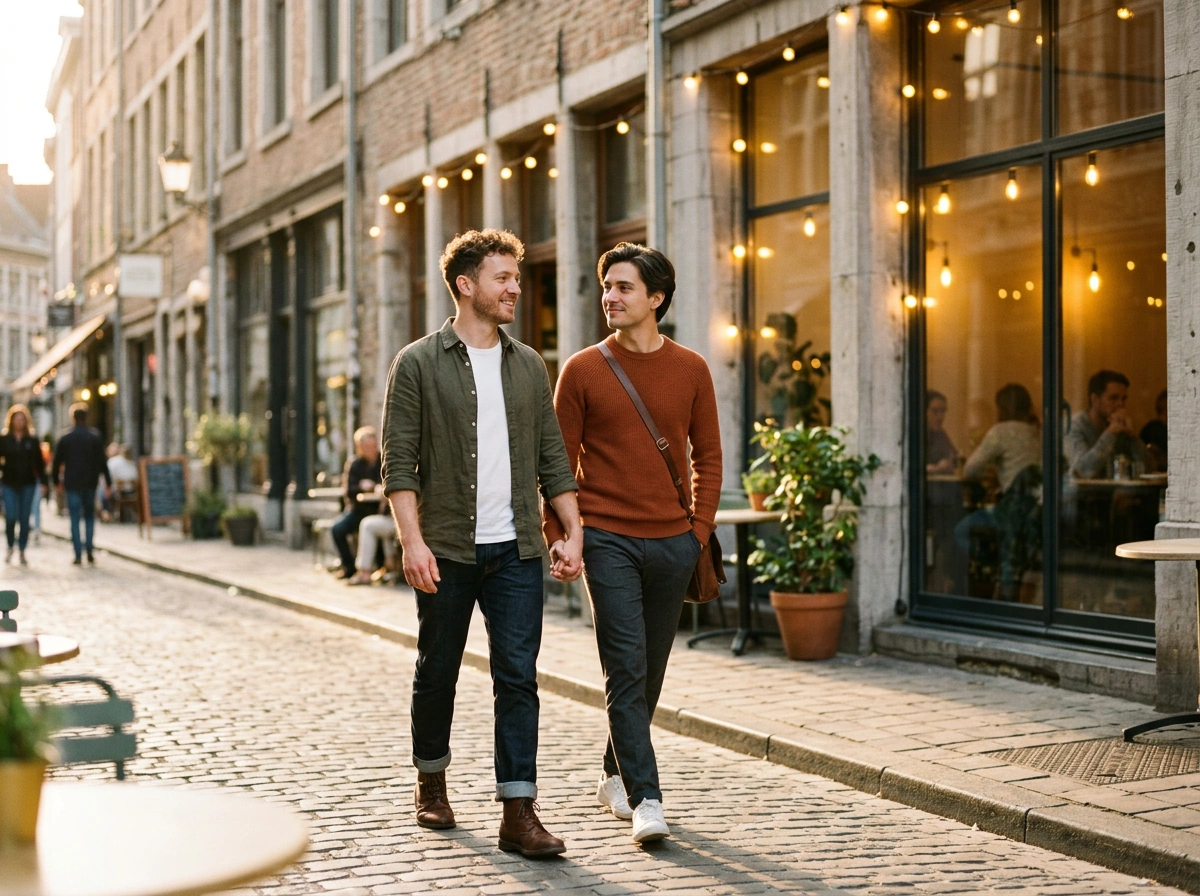
Gay Romance Video Prompt: Golden-Hour City Walk
Prompt for image to video: Use the AI Gay Video Generator for a slow cinematic tracking shot of two men walking hand in hand through a sunlit city street at golden hour. Add warm cafe-window reflections, relaxed smiles, natural movement, stylish casual fashion, and shallow depth of field for a tender short-form scene.
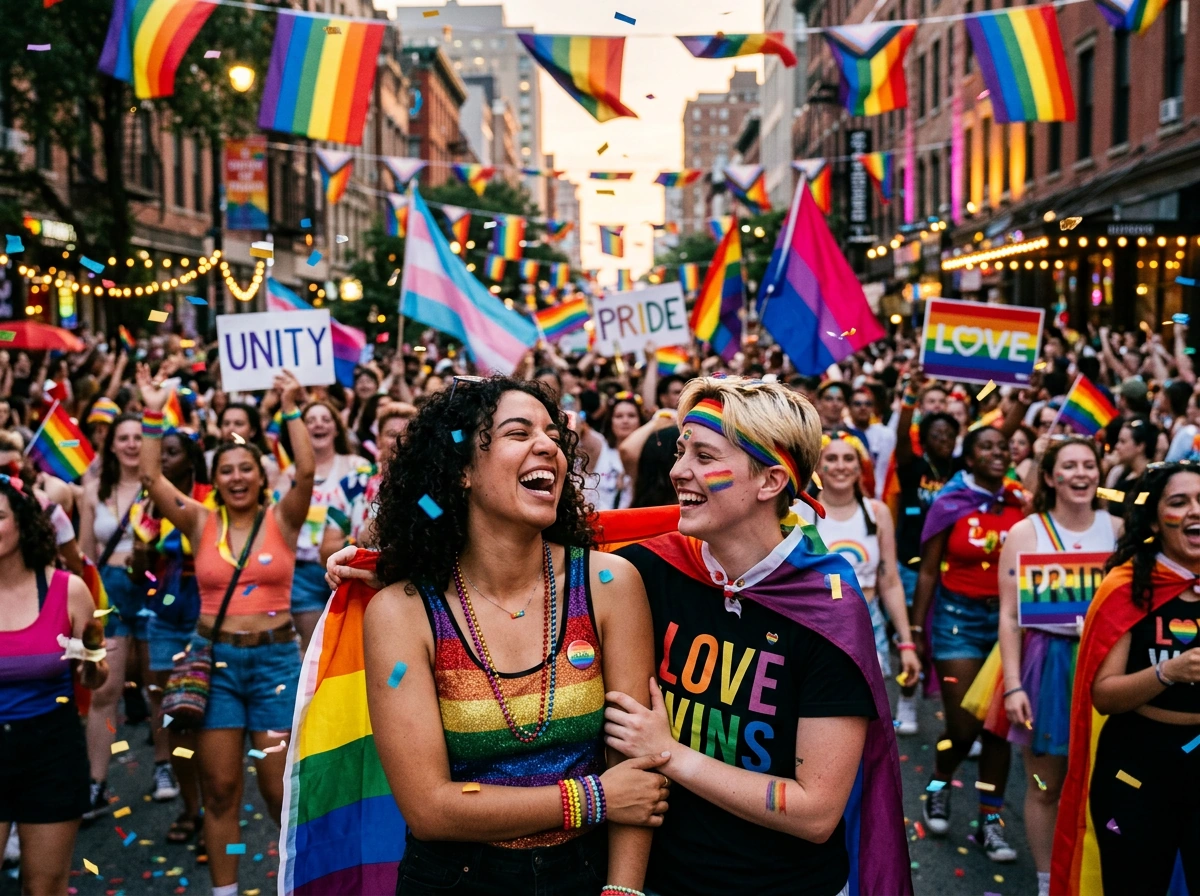
Pride Video Prompt: Joyful Street Celebration
Prompt for image to video: Create a colorful Pride celebration with dynamic handheld camera movement, friends laughing under rainbow flags, bright city lights, confetti, expressive faces, and an uplifting community mood. This style works well for event promos, social posts, and inclusive campaign visuals.
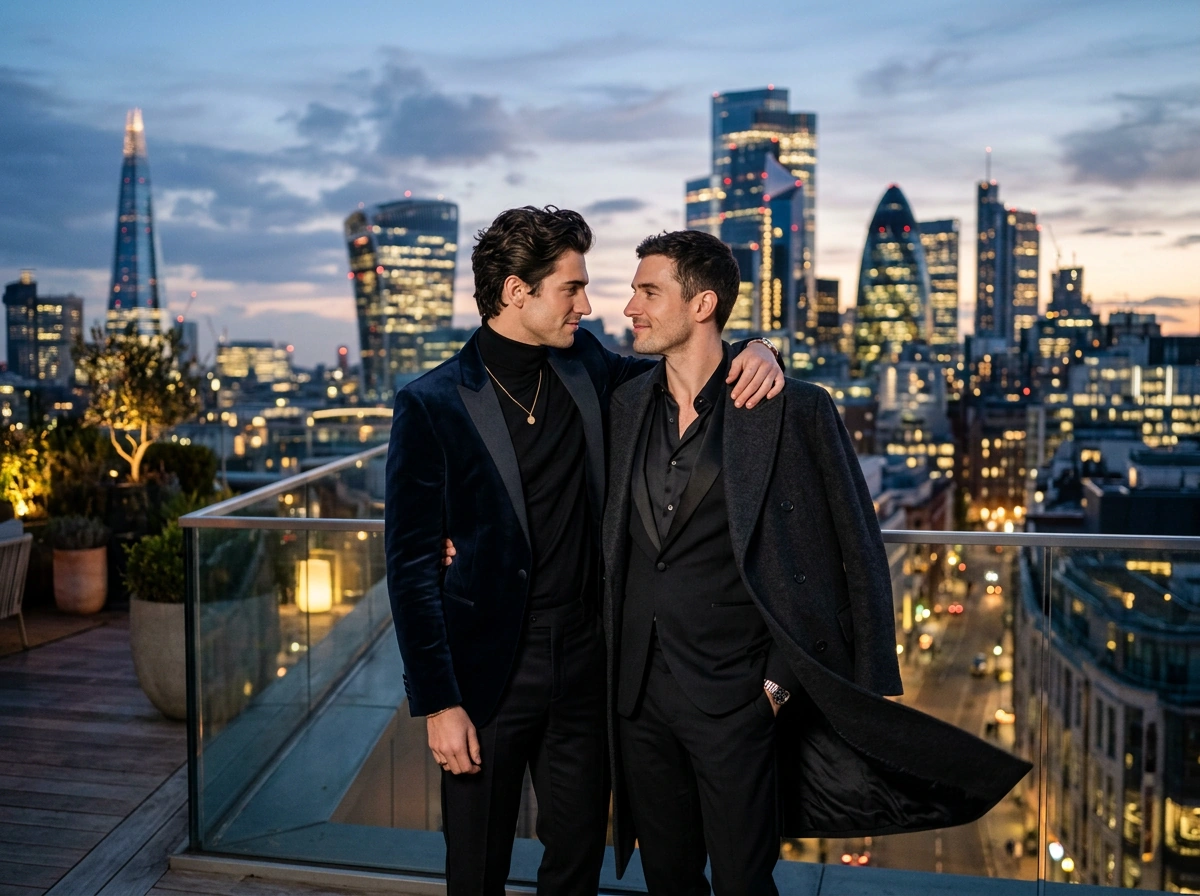
LGBTQ+ Fashion Video Prompt: Editorial Love Story
Prompt for image to video: Generate a smooth dolly-in shot of two male models in elegant evening outfits on a rooftop at twilight. Include a city skyline, gentle wind, confident eye contact, luxury editorial styling, cinematic lighting, and photorealistic detail for a polished gay AI video concept.
How to Make a Gay AI Video with GlobalGPT
Choose the story type you want, such as a romantic short, Pride event visual, lifestyle clip, documentary B-roll, or editorial fashion scene.
Write a clear prompt with characters, setting, camera movement, mood, wardrobe, lighting, and any safety boundaries you want the AI Gay Video Generator to follow.
Generate the video with GlobalGPT, compare model outputs, then refine the prompt for more natural motion, stronger emotion, or a cleaner social-media composition.
Unlock 100+ AI Models on GlobalGPT
GlobalGPT gives creators one place to explore image, video, and text models for LGBTQ+ storytelling. Use the AI Gay Video Generator for concept clips, then expand the same idea into posters, captions, scripts, thumbnails, or campaign assets without switching tools.